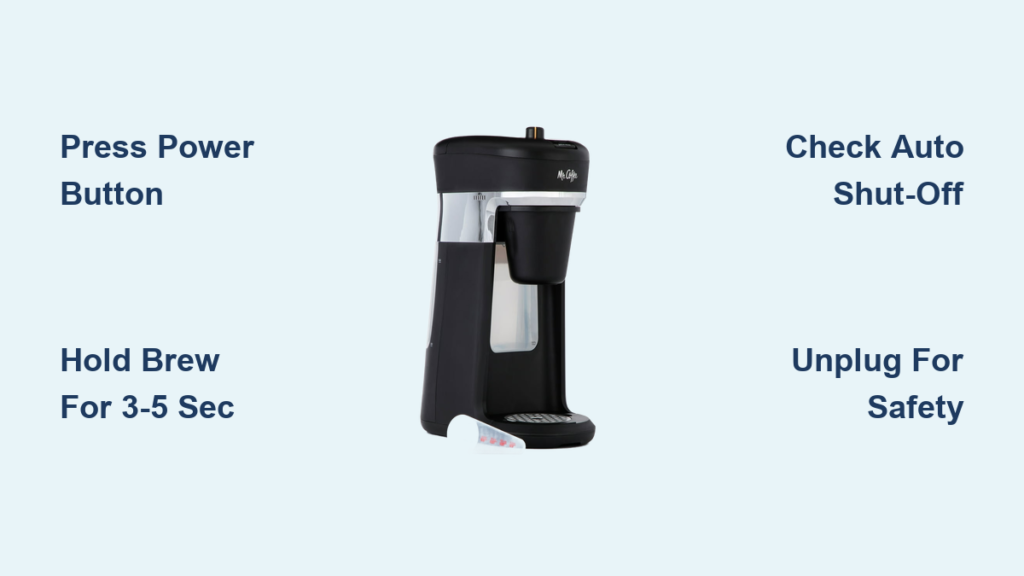
You’re in the middle of your morning routine when you suddenly remember you need to leave the house—but your coffee maker is still running. That familiar panic sets in as you scramble to figure out how to properly shut down your Mr. Coffee machine. Many coffee lovers have experienced this exact moment of confusion, especially since different Mr. Coffee models have varying power controls and auto-shutoff features. Knowing how to correctly turn off your specific model prevents wasted energy, avoids potential safety hazards, and extends your machine’s lifespan. This guide will walk you through the exact steps to power down any Mr. Coffee maker you own, whether it’s a basic drip model, programmable unit, or single-serve brewer, so you can enjoy your coffee without the morning stress.
Unlike some appliances with obvious power switches, Mr. Coffee makers often use subtle indicators and multiple methods for powering down. Some models automatically shut off after brewing completes, while others require manual intervention. The confusion is understandable—Mr. Coffee produces numerous models with different control layouts, and the power-off process isn’t always intuitive. This comprehensive guide eliminates the guesswork by providing model-specific instructions, visual cues to watch for, and troubleshooting tips for when your coffee maker won’t power down as expected. You’ll learn not just how to turn off your machine, but also how to verify it’s fully powered down, when to unplug versus using controls, and how to set up automatic shut-off for future convenience.
Identifying Your Mr. Coffee Model Before Powering Down
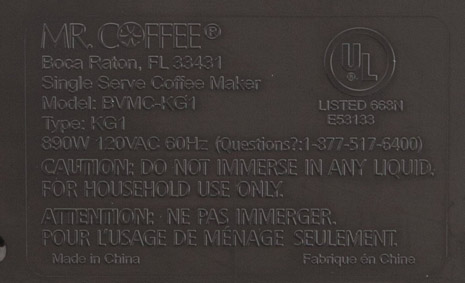
Before attempting to turn off your Mr. Coffee maker, you must identify your specific model as power controls vary significantly across the product line. Check the bottom or back of your unit for a model number sticker—common series include the Simple Brew, Café Barista, Optimal Brew, and Cafe Collection models. Basic drip models typically have minimal controls with a single power button, while programmable versions feature digital displays and multiple function buttons. Single-serve Mr. Coffee makers like the Cafe or Espresso models have completely different power mechanisms than traditional drip machines. If you’re unsure which model you have, look for distinctive features: models with “2-Hour Auto Shut-Off” printed on the carafe warmer indicate automatic power-down capability, while units with timer displays require different shutdown procedures.
How to Locate Power Controls on Your Specific Model
Basic Mr. Coffee models (Simple Brew series): The power button is usually a single illuminated button labeled “On/Off” or represented by a circle with a line (I/O symbol) positioned prominently on the control panel. On older units, this might be a sliding switch instead of a push button.
Programmable models (Optimal Brew series): These feature digital displays with multiple buttons. The power function is typically controlled through the “Brew” or “Power” button, but some require navigating menu options to activate auto shut-off.
Single-serve models (Cafe Barista series): Power controls are often integrated into the pod insertion mechanism or require holding a specific button for 3-5 seconds. Many single-serve units automatically enter standby mode but require manual power-down for complete shutoff.
Common Misidentifications That Prevent Proper Shutdown
Many users accidentally press the “Pause & Serve” button instead of the power button, which only temporarily stops brewing but doesn’t power down the unit. Others mistake the “Clean” function button for a power control, which initiates a cleaning cycle rather than shutting off the machine. On models with touch-sensitive controls, insufficient pressure when pressing buttons often results in failed power-down attempts—firm, deliberate presses are required. Some users also confuse the auto shut-off indicator light with an active power indicator, thinking their machine is still running when it has actually powered down as designed.
Manual Power-Down Procedures for All Mr. Coffee Types
Basic Drip Coffee Makers: One-Button Shutdown Process
For most standard Mr. Coffee drip machines without programmable features, turning off the unit requires just one simple action. Locate the illuminated power button on the control panel—when pressed to turn on, this button typically glows red or orange. To power down, press this same button once. The light will extinguish immediately, indicating the heating element and brew cycle have stopped. Wait 10-15 seconds to confirm all activity has ceased before removing the carafe. On models with a sliding power switch instead of a button, slide the switch to the “O” position (opposite of “I”) and verify the indicator light turns off.
Programmable Models: Navigating Digital Controls
Programmable Mr. Coffee makers require specific sequences to properly power down. On units with digital displays, press and hold the “Brew” button for 3-5 seconds until the display shows “OFF” or the backlight dims significantly. Some advanced models require pressing the “Menu” button, scrolling to “Power Settings,” selecting “Shut Down,” then confirming with the “Start” button. If your machine has a dedicated “Power” button separate from brewing controls, a single press will deactivate the unit. Always check that the display has completely turned off—not just gone to sleep mode—as some models maintain clock functionality while the brewing system is powered down.
Auto Shut-Off Feature Activation and Customization
Setting Up Automatic Power-Down on Compatible Models
Most modern Mr. Coffee makers include an auto shut-off feature that powers down the unit 2 hours after brewing completes, but this must be properly configured. After your coffee finishes brewing, the machine will typically display a countdown timer indicating when auto shut-off will engage. To verify it’s active, look for “2HR” or similar indicator on digital displays. On non-digital models, the auto shut-off is usually factory-enabled and requires no user setup. If your machine doesn’t automatically power down after two hours, check that the carafe is properly seated on the warming plate, as misalignment often disables the auto shut-off safety feature.
Troubleshooting Auto Shut-Off Failures

When your Mr. Coffee maker fails to power down automatically after the expected timeframe, first check if the “Keep Warm” function is accidentally activated—this overrides auto shut-off on many models. Verify the carafe contains liquid, as empty carafe detection systems prevent auto shut-off to avoid dry heating. On programmable units, navigate to settings and ensure auto shut-off hasn’t been disabled in the menu options. If the machine continues brewing after auto shut-off should have engaged, immediately unplug the unit and contact Mr. Coffee support, as this indicates a serious electrical malfunction requiring professional attention.
Emergency Power-Down Procedures for Malfunctioning Units
When Standard Shutdown Methods Fail
If your Mr. Coffee maker won’t respond to normal power-down procedures, first unplug the unit from the electrical outlet—this is the most reliable emergency shut-off method. Never attempt to pour water into a malfunctioning coffee maker to stop brewing, as this creates serious electrical hazard risks. After unplugging, allow the machine to cool completely (at least 30 minutes) before investigating further. If the unit continues displaying error codes or attempting to brew after being unplugged and replugged, the control board has likely failed and requires professional repair or replacement.
Safety Considerations During Emergency Shutdown
When forcibly powering down a malfunctioning coffee maker, always grasp the plug itself rather than pulling the cord to avoid damage. Keep hands and surfaces dry during the process to prevent electrical shock. If you notice smoke, burning smells, or visible sparks, exit the room immediately and call emergency services before attempting any shutdown procedures. After unplugging a problematic unit, do not attempt to restart it until the underlying issue has been diagnosed and resolved by a qualified technician.
Preventative Measures for Hassle-Free Power Management
Programming Your Coffee Maker for Automatic Morning Shutdown
Take advantage of programmable features to avoid manual shutdown altogether. Set your brew time to complete 15-20 minutes before you typically finish your coffee, ensuring auto shut-off engages while you’re still present to verify it worked. On advanced models, customize the auto shut-off duration through the settings menu—some allow adjustments from 30 minutes to 4 hours based on your usage patterns. Create a habit of checking that the “Auto Off” indicator appears after programming to confirm the feature is active for your next brew cycle.
Maintenance Practices That Ensure Proper Power Functionality
Regular cleaning prevents mineral buildup that can interfere with power sensors and auto shut-off mechanisms. Run a vinegar-water solution through your machine monthly to maintain optimal electrical component performance. Check the power cord periodically for fraying or damage that could cause intermittent power issues. Wipe control panels with a dry microfiber cloth weekly to prevent sticky residue from affecting button responsiveness. Store your coffee maker in a location with adequate ventilation around the base to prevent overheating that might trigger unexpected shutdowns or prevent proper power-down sequences.
Final Verification Steps Before Leaving Your Coffee Maker Unattended
Before stepping away from your powered-down coffee maker, perform these critical checks: confirm all indicator lights are completely extinguished (not just dimmed), verify the warming plate has cooled significantly (warm to touch is normal, hot indicates continued power), and listen for any humming or mechanical sounds that suggest internal components are still active. For complete peace of mind, unplug the unit if you’ll be away for more than 30 minutes, especially with older models that lack reliable auto shut-off features. By following these verification steps, you’ll eliminate the morning anxiety of wondering whether your coffee maker is safely powered down while you’re out of the house.
Remember that proper shutdown procedures vary by model, so consult your specific user manual for precise instructions. When in doubt about whether your machine has fully powered down, the safest practice is always to unplug it—this guarantees no electrical activity continues. With these techniques, you’ll transform your morning coffee routine from a potential source of stress into a smooth, worry-free experience that starts your day right.