Is your Bunn coffee maker suddenly brewing weak coffee, taking forever to heat up, or displaying confusing blinking lights? Before you panic or schedule an expensive service call, try a simple reset procedure. Learning how to reset Bunn coffee maker systems properly can resolve 80% of common operational issues without tools or technical expertise. Most resets take less than five minutes and require nothing more than unplugging the unit and waiting.
This guide covers proven reset methods for all major Bunn models—from home brewers like the BXB, Velocity, and Simplify to commercial units like the VP17 and CW15. You’ll discover exactly when to reset your machine, what different indicator patterns mean, and how to troubleshoot problems that persist after resetting. Whether you’re a home user frustrated with slow brewing or a café owner dealing with commercial equipment issues, these steps will get your coffee flowing properly again.
When Your Bunn Needs an Immediate Reset
Your Bunn coffee maker needs resetting when it displays any of these common symptoms: inconsistent brewing times, water that never reaches proper temperature, indicator lights blinking abnormally, or complete failure to power on after being unplugged. These issues often occur after power outages, electrical surges, or when the machine has been moved. The control board’s memory gets corrupted, causing the brewer to operate outside its normal parameters.
Commercial Bunn units in high-traffic environments benefit from weekly resets to prevent cumulative errors from developing. Home users should reset their machines monthly as preventative maintenance, especially if you notice brewing times gradually increasing. Resetting clears the control board’s temporary memory, recalibrates the heating cycle, and restores factory default settings without affecting your preferred brewing strength or volume.
Don’t wait until your coffee maker completely fails—address minor inconsistencies immediately. A quick reset now prevents more serious issues later. If your Bunn has suddenly started brewing weaker coffee or taking longer to heat, perform a reset before the problem escalates to component failure.
Simple Power Cycle Reset for All Models
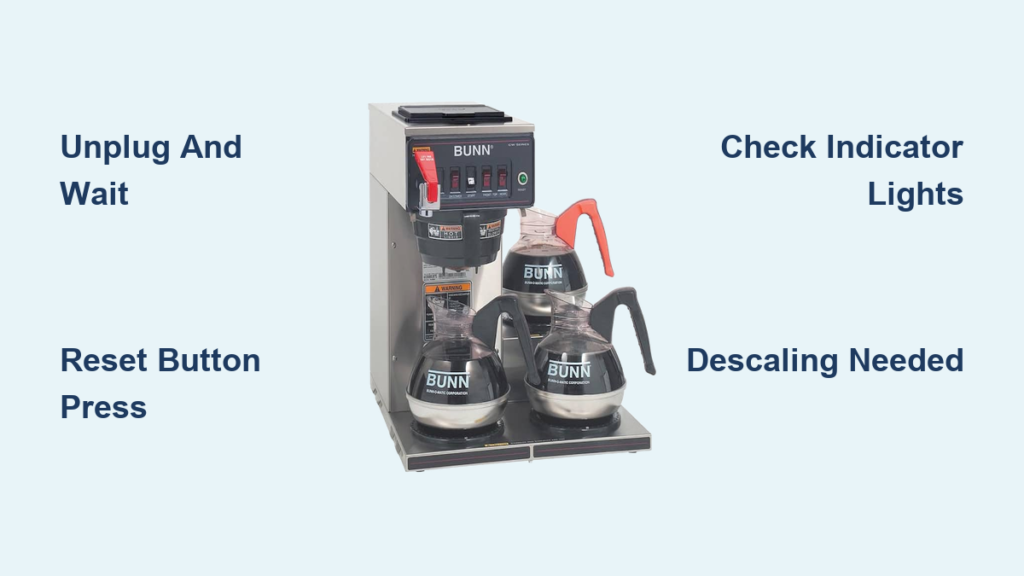
The most effective reset for 90% of Bunn coffee maker issues requires just two steps: unplug and wait. First, turn off your brewer using the power switch if available. Then completely unplug the unit from the wall outlet—don’t just turn off the switch, as some models maintain power to the control board.
Wait a full 60 seconds. This critical waiting period allows the internal capacitors to fully discharge and clears the control board’s temporary memory. Many users make the mistake of plugging back in too soon—less than 30 seconds isn’t enough time for a complete reset. While waiting, inspect your power cord for damage and verify the outlet works by plugging in another device.
After the full minute, plug the brewer back in and turn it on. Most home models (BXB, Velocity, Simplify) will begin heating immediately and reach brewing temperature in 2-3 minutes. Commercial units (VP17, CW15) typically take 5-7 minutes to heat. If the ready light illuminates normally and brewing performance returns, the reset succeeded. If problems persist, move to the hard reset procedure.
Pro Tip: Always perform this basic reset before attempting more complex procedures. It resolves most temporary glitches without needing to access internal components.
Why the 60-Second Wait Matters
That full minute of unplugged time isn’t arbitrary—it’s the minimum required for the control board’s capacitors to fully discharge. Bunn coffee makers use sophisticated circuitry that maintains some power even when “off.” Cutting power for less than 60 seconds often leaves residual charge that prevents a complete reset. Think of it like rebooting a computer versus putting it to sleep—the full discharge clears all temporary errors from the system memory.
Interpreting Bunn’s Indicator Light Patterns

Your Bunn’s indicator lights provide crucial diagnostic information before and after resetting. Understanding these signals helps determine whether a reset worked or if further action is needed.
- Solid Green Ready Light: Water has reached optimal brewing temperature (195-205°F). Normal operation—no reset needed.
- Slow Blinking Green Light: Normal heating cycle in progress. Wait 2-7 minutes depending on model before considering a reset.
- Rapid Blinking Green Light: Error state requiring reset. Common after power interruptions.
- Solid Amber/Red Light: Heating element actively warming water. Should transition to green within normal timeframe.
- Blinking Amber/Red Light: Heating system malfunction. Requires reset or professional service if persistent.
- Clean/Descaling Light Illuminated: Mineral buildup detected. Reset may clear false trigger, but descaling is still required.
Critical Warning: If your Bunn shows no lights at all after plugging in, check the power source first before assuming internal failure. Many issues stem from tripped GFCI outlets or circuit breakers rather than the coffee maker itself.
Model-Specific Hard Reset Procedures
When the basic power cycle fails, perform a hard reset tailored to your Bunn model. These procedures clear deeper error states stored in the control board’s memory.
For Home Models (BXB, Velocity, Simplify)
- Unplug the brewer and wait 30 seconds
- Locate the small reset button—typically on the bottom rear near the power cord entry
- Using a paperclip, press and hold the recessed reset button
- While holding the button, plug the unit back in
- Continue holding for 15 seconds after power reconnects
- Release the button and wait two minutes before brewing
For Commercial Models (VP17, CW15)
Commercial Bunn units require a calibration reset:
1. Ensure the brewer is completely cooled
2. Unplug the unit for 2 minutes
3. Press and hold both the brew and auto-start buttons simultaneously
4. While holding these buttons, plug the unit back in
5. Continue holding for 10 seconds after power reconnects
6. Release buttons and allow the machine to complete its self-test cycle
Note: Some commercial models require specific button combinations—consult your manual if the standard procedure doesn’t work. Incorrect sequences can put the machine into unintended diagnostic modes.
Troubleshooting Persistent Issues After Reset

Brewer Still Won’t Heat Properly
If your Bunn fails to reach proper brewing temperature after resetting, check these common culprits:
– Water level sensor malfunction: Ensure the reservoir is properly seated
– Thermostat failure: Requires professional replacement
– Heating element issues: Visible mineral buildup on elements indicates descaling is needed
– Faulty power supply: Test with a multimeter if you have electrical expertise
Intermittent Power Failures
Brewers that randomly shut off during operation often have:
– Loose internal wiring connections (requires professional inspection)
– Overheating protection engaging due to blocked vents
– Failing thermal fuse that needs replacement
– Voltage fluctuations in your building’s electrical system
Slow or Incomplete Brewing Cycles
When reset doesn’t fix slow extraction:
– Run a descaling cycle with Bunn-approved solution
– Clean the spray head with a small brush to remove coffee oil residue
– Check for clogs in the water delivery tube
– Verify you’re using the correct filter size for your model
Critical Mistake to Avoid: Never attempt to reset your Bunn while it’s still hot or filled with water. Always allow the unit to cool completely and empty the water reservoir before performing any reset procedure to prevent electrical hazards or component damage.
Preventative Maintenance to Reduce Reset Frequency

Regular maintenance prevents most issues requiring resets. Follow this simple schedule:
Daily:
– Rinse the carafe and filter basket
– Wipe exterior surfaces with damp cloth
– Empty and rinse the drip tray
Weekly:
– Clean spray head with soft brush
– Remove and clean permanent filters
– Wipe inside the water reservoir
Monthly:
– Perform full descaling cycle
– Inspect power cord for damage
– Check for mineral buildup on heating elements
Quarterly:
– Replace water filters if your model uses them
– Deep clean all removable components
– Verify proper temperature with thermometer
Using filtered water reduces mineral buildup by 70%, significantly decreasing the need for resets. Hard water areas should descale monthly, while soft water regions can extend to every 3 months.
When to Seek Professional Service
If your Bunn requires resetting more than once a week, or if problems persist after multiple reset attempts, contact Bunn support immediately. Recurring issues indicate failing components rather than temporary glitches. Commercial users should never operate equipment requiring frequent resets—it creates inconsistent brew quality and potential safety hazards.
Have your model number (typically on a label underneath or on the back) and purchase date ready when contacting support. Bunn offers excellent warranty coverage—most commercial units have 1-3 year warranties, while home models typically include 1 year of coverage.
Final Tip: Keep your original reset successful after performing the procedure, note the date and conditions. This log helps identify patterns and determine whether maintenance intervals need adjustment for your specific environment and usage patterns. With proper care, your Bunn coffee maker will deliver perfect brews for years without constant resetting.