Your morning coffee shouldn’t turn bitter while you’re still getting ready. Most programmable coffee makers, especially popular models like Cuisinart’s DCC-3200P1, automatically shut off their warming plates after 2-4 hours—a built-in safety feature that prevents burnt coffee and reduces fire hazards. This automatic shutoff strikes a perfect balance between keeping your coffee drinkable and avoiding energy waste. Understanding exactly how long your specific coffee maker can safely stay on helps you enjoy fresh-tasting coffee without worrying about potential safety risks or returning to a pot of scorched, undrinkable sludge.
Coffee begins losing its optimal flavor within 30 minutes of brewing, developing increasingly bitter notes the longer it sits on a heated plate. While the warming function maintains a drinkable temperature for up to 4 hours, most baristas and coffee experts recommend consuming coffee within 2 hours for the best taste experience. The heating elements in modern coffee makers maintain temperatures between 175-185°F (79-85°C)—hot enough to keep coffee warm but not so hot that it immediately burns. However, continuous exposure to even moderate heat gradually degrades coffee compounds, transforming your vibrant morning brew into a flat, stale beverage. Programming your coffee maker correctly ensures you get the convenience of hot coffee without sacrificing quality.
Program Your Coffee Maker’s Exact Warming Duration
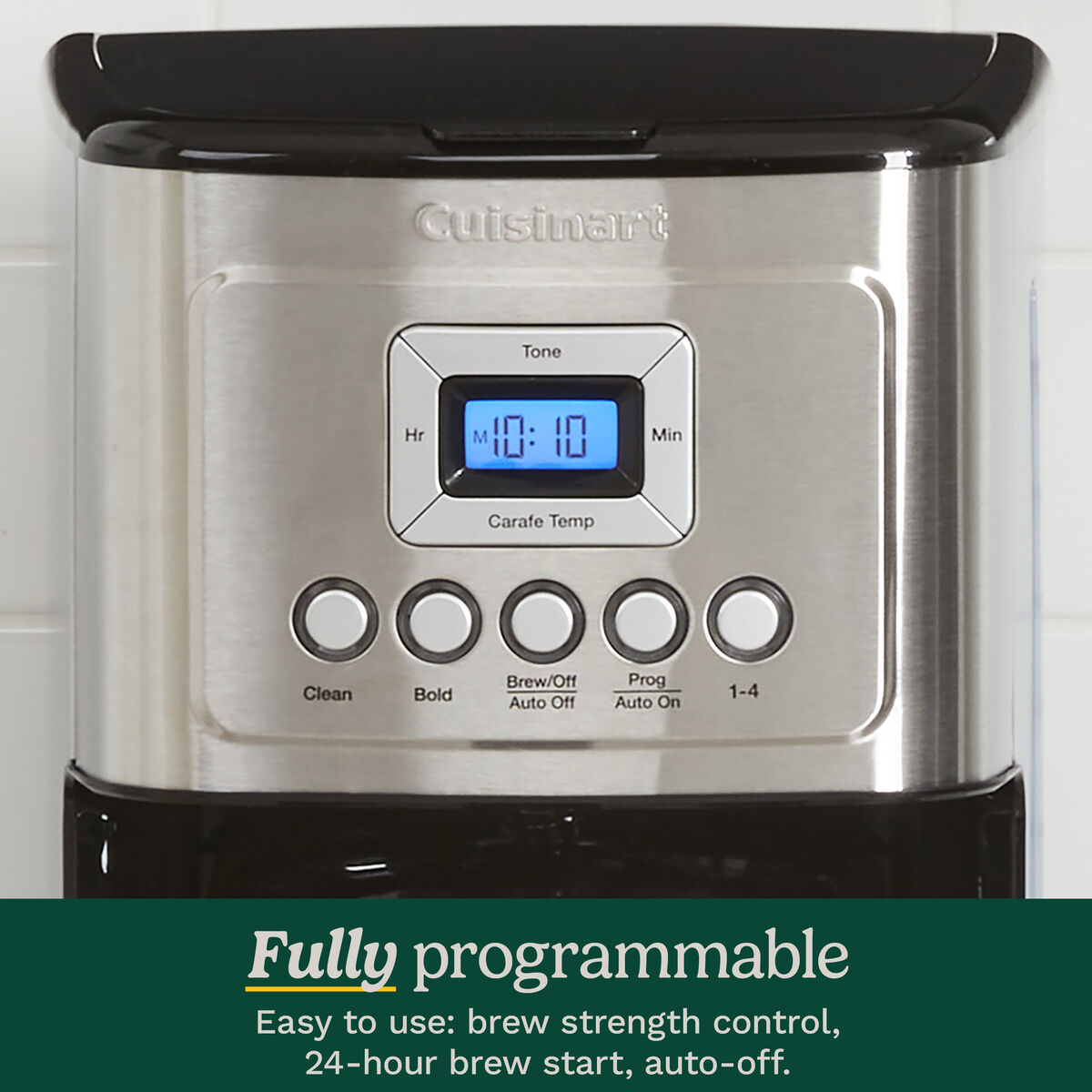
Setting your coffee maker’s warming time takes just seconds but dramatically improves your coffee experience. For Cuisinart models like the DCC-3200P1, press and hold the Brew button for approximately three seconds until the display begins flashing. This visual cue confirms you’ve entered programming mode, where you can precisely control how long your coffee stays warm. The display shows your current setting—usually “2:00” by default—representing hours and minutes of warming time.
Use the Hr. (Hour) button to adjust the hour value and the Min. (Minute) button to fine-tune the minutes. Need coffee warm for just 90 minutes while your family gathers for breakfast? Set “1:30.” Prefer to shut off immediately for maximum freshness when serving guests? Set “0:00.” Once you’ve selected your ideal duration, press the Brew button again to lock in your settings. The coffee maker will now automatically power down the warming plate exactly when you specify—no more guessing whether your coffee has been sitting too long.
What to Do If Programming Doesn’t Work
If your coffee maker doesn’t respond when holding the Brew button, first ensure it’s properly plugged into a working outlet—many users overlook this simple step. Try pressing the button firmly for a full five seconds, as some models require slightly longer activation. If the display still doesn’t flash, unplug the unit for 30 seconds then try again—this power cycle often resets temporary electronic glitches. Check that no other buttons are accidentally pressed simultaneously, as this can interfere with programming mode activation. If these troubleshooting steps fail, consult your model’s manual for model-specific programming instructions.
Customize Warming Time for Your Household Routine
Your ideal warming duration depends entirely on your family’s coffee habits. Households where everyone drinks coffee simultaneously need shorter warming periods—just 30-60 minutes—while families with staggered schedules benefit from the full 4-hour window. If you’re the first to wake and brew at 6 AM but others don’t drink until 8 AM, set the timer for 2 hours to ensure coffee stays warm without overcooking. Parents with school-aged children might set a 90-minute timer knowing coffee will be consumed between 7-8:30 AM.
Consider these real-world scenarios when selecting your duration:
– Office environments: Set to 2 hours for morning meetings, then turn off to avoid stale coffee sitting all day
– Weekend brunch: Set to 3 hours if guests arrive at different times
– Single-user households: 45-60 minutes often suffices before transferring remaining coffee to a thermal carafe
– Frequent travelers: Set to minimum duration or zero minutes to reduce energy use when away
Pro Tip: Coffee maintains better flavor when transferred to an insulated thermal carafe after brewing. Set your warming time to 15-20 minutes—just enough time to pour your first cup—then turn off the warming plate completely. This preserves optimal flavor while keeping coffee hot for hours through superior insulation rather than continuous heating.
Download Your Exact Model’s Instruction Manual
If you’ve lost your coffee maker’s manual or never received one, Cuisinart’s website offers free PDF downloads for all current and many discontinued models. Navigate to their support section and locate your specific model number—typically found on a sticker on the bottom of the unit or on the original packaging. The DCC-3200P1 manual, for example, appears approximately five rows from the bottom in the far right column of Cuisinart’s model list.
Having your complete manual solves more than just warming duration questions. You’ll discover hidden features like:
– Delayed brew scheduling for waking up to fresh coffee
– Customizable strength settings
– Automatic descaling reminders
– Energy consumption statistics
– Specific cleaning protocols for different components
Bookmark the PDF on your phone for quick reference whenever you need programming help. Many users discover their coffee maker offers advanced features they never knew existed simply by consulting the full documentation.
Troubleshoot Warming Plate Malfunctions
When your coffee maker’s warming function fails, follow these systematic troubleshooting steps before assuming hardware failure. First, verify you’ve actually programmed the warming duration—many users mistakenly believe the function works automatically without setup. Reprogram using the standard button sequence to confirm settings saved correctly. Next, check that the unit is properly plugged into a functioning outlet by testing with another appliance.
Examine the warming plate for coffee residue, mineral deposits, or physical damage that might interfere with heat transfer. Clean thoroughly with a damp cloth and mild detergent, ensuring complete drying before reuse. If you have hard water, mineral buildup likely affects performance—run a descaling cycle using equal parts white vinegar and water followed by two plain water cycles to flush the system.
Critical Warning: If the warming plate gets excessively hot (too hot to touch for more than 2 seconds) or shows visible damage like cracks or discoloration, stop using the unit immediately and contact the manufacturer. These signs indicate potential safety hazards that require professional attention.
Maintain Optimal Coffee Temperature Without Burning
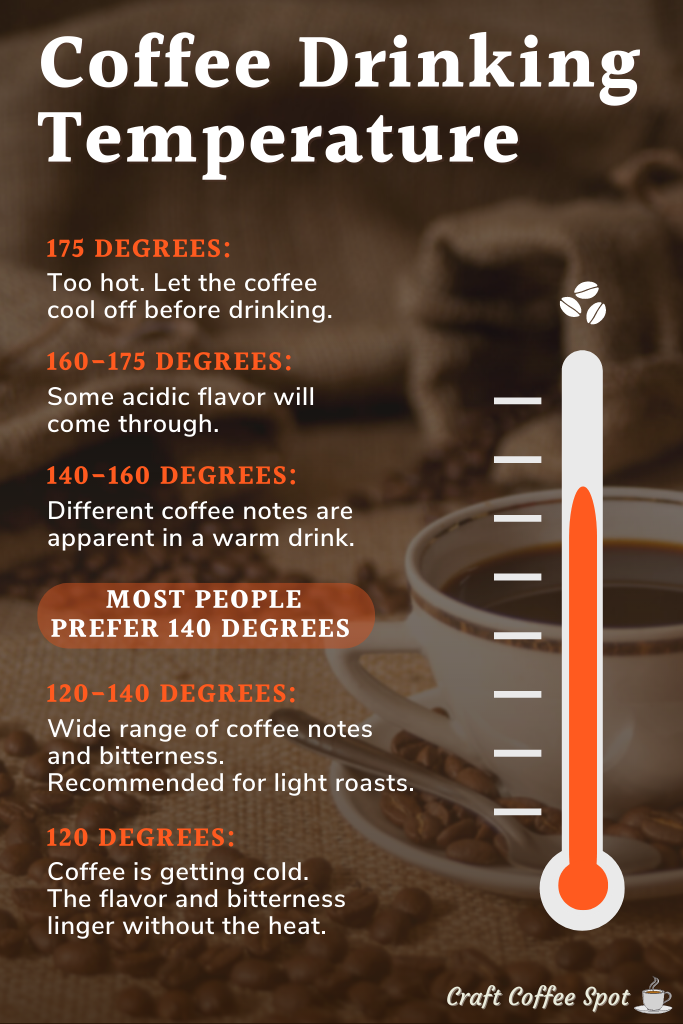
Maximizing coffee temperature while preserving flavor requires techniques beyond just the warming plate. Brew using water between 195-205°F (90-96°C)—too cool results in weak coffee that loses heat rapidly, while too hot causes immediate over-extraction. Pre-warm your carafe by rinsing with hot water before brewing; this simple step maintains temperature 15-20 minutes longer. For all-day warmth without electrical safety concerns, transfer coffee to a high-quality thermal carafe immediately after brewing completes.
Adjust your warming plate temperature if your model allows—lower temperatures (around 175°F/79°C) preserve flavor longer than maximum heat settings. If your model lacks temperature adjustment, consider shortening the warming duration significantly and relying on thermal containers instead. Coffee connoisseurs consistently report better taste when limiting warming plate exposure to 30-45 minutes maximum, even when the machine can technically stay on for 4 hours.
Understand Auto-Shutoff Safety Features Across Models
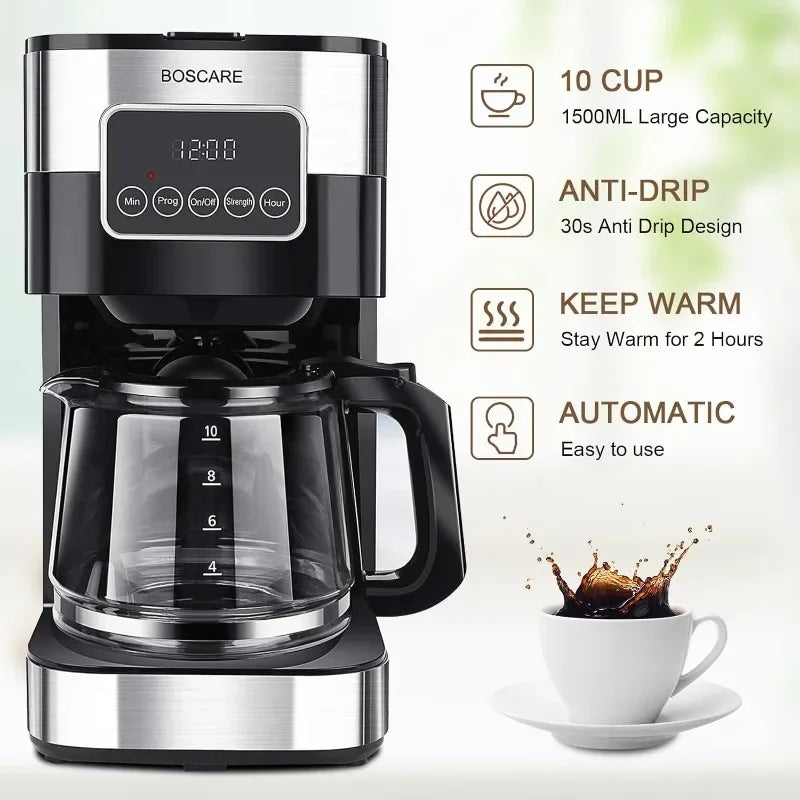
Modern coffee makers universally incorporate auto-shutoff as a critical safety feature, but implementation varies by brand and model. Cuisinart models typically shut off after 2-4 hours of warming, while some budget brands may run indefinitely—a significant fire hazard. Higher-end models often include dual timers: one for the warming plate and another for complete power-off regardless of pot status.
When your programmed warming time expires, the heating element deactivates completely, though the display may remain illuminated. This design prevents “empty pot syndrome”—where the warming plate operates with no liquid above it, creating extreme heat concentrations. Some commercial-grade units offer extended warming periods but include additional safety sensors to prevent overheating. Always verify your specific model’s capabilities rather than assuming all coffee makers behave identically.
Frequently Asked Warming Duration Questions
Can I change the warming time after my coffee starts brewing?
No—programming must occur before starting the brew cycle. Once brewing begins, the warming duration is locked until the next cycle. Plan ahead by setting your preferred time before adding water and coffee grounds.
Will coffee stay warm longer in a thermal carafe versus the warming plate?
Yes—high-quality thermal carafes maintain drinkable temperatures for 4-6 hours without electricity, significantly outperforming warming plates while preserving better flavor. The double-wall vacuum insulation prevents heat transfer that causes flavor degradation on electric plates.
Does the warming plate consume much electricity?
A typical coffee maker warming plate uses 25-150 watts while active. Running for 4 hours consumes approximately 0.1-0.6 kWh—about $0.015-$0.09 per use at average electricity rates. While not a major energy drain, setting appropriate durations still contributes to household energy conservation.
Programming your coffee maker’s warming duration properly transforms your morning routine from hit-or-miss to perfectly reliable. With the ability to set precise warming times from zero to four hours, you control exactly how long your coffee stays hot without compromising safety or flavor. Take five minutes to consult your model’s manual, experiment with different settings, and discover the sweet spot between convenience and coffee quality that works for your household. The perfect cup of coffee shouldn’t require constant monitoring—just smart programming that matches your real-world needs.