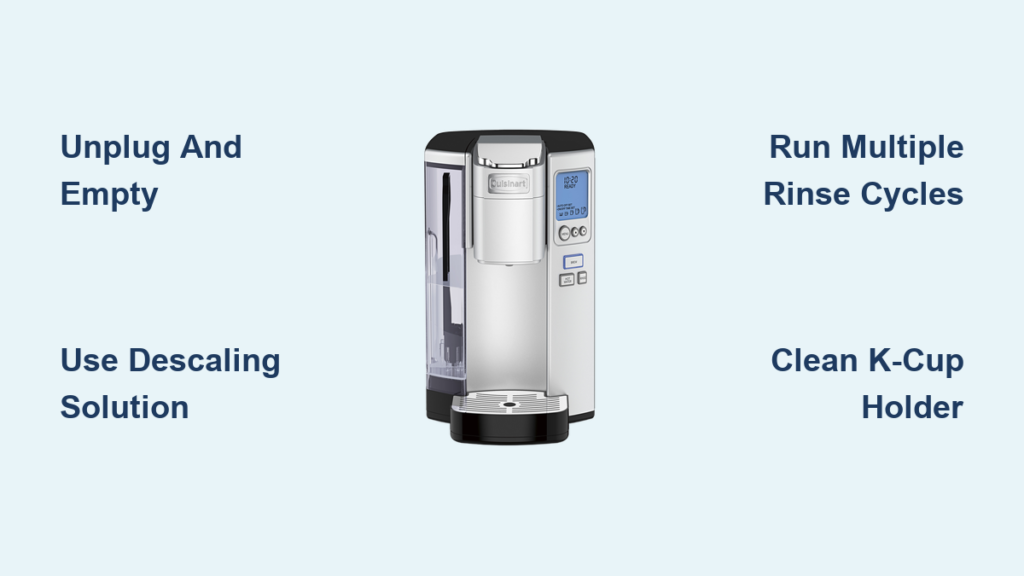
If your Cuisinart K-Cup coffee maker has started running slower, producing weaker coffee, or displaying error messages, mineral buildup from hard water is likely the culprit. Descaling your Cuisinart K-Cup coffee maker regularly removes calcium deposits that accumulate in the internal components, restoring optimal performance and extending your machine’s lifespan. Unlike some single-serve systems with proprietary descaling cycles, Cuisinart K-Cup models require a slightly different approach that many users find confusing. The good news is that with the right descaling solution and method—like the HAKANO 3-month kit recently featured in an Amazon Live demonstration—you can effectively maintain your machine without specialized knowledge. This guide walks you through the practical steps to descale your Cuisinart K-Cup coffee maker safely and efficiently, drawing from real-world user experiences with universal descaling methods.
Why Mineral Buildup Ruins Your Cuisinart Coffee Experience
Hard water contains dissolved minerals like calcium and magnesium that gradually accumulate inside your coffee maker’s heating element, water lines, and reservoir. As these deposits harden over time, they restrict water flow and reduce heating efficiency. Your Cuisinart K-Cup coffee maker might start taking significantly longer to brew, produce lukewarm coffee, or completely stop working during peak extraction. Unlike Keurig machines that often have built-in descaling indicators, Cuisinart models typically don’t provide clear alerts, making regular maintenance essential rather than reactive. Ignoring this buildup leads to permanent damage that no amount of troubleshooting can fix—ultimately requiring expensive replacement of your entire coffee maker.
How Often Should You Descale Your Cuisinart Machine?
The frequency depends entirely on your water hardness and usage patterns. If you live in an area with hard water (above 8 grains per gallon), monthly descaling may be necessary for daily users. Those with moderate water hardness (4-8 grains) should descale every two months, while soft water users (below 4 grains) can extend to quarterly maintenance. A practical indicator is when your brew time increases by more than 30 seconds compared to when the machine was new. Daily users who notice weak coffee strength or incomplete pod puncturing should prioritize immediate descaling regardless of the calendar.
Choosing the Right Descaling Solution for Cuisinart K-Cup Models

Cuisinart doesn’t manufacture proprietary descaling solution, creating confusion for many owners who assume they need brand-specific products. The reality is that universal descaling solutions work effectively on Cuisinart K-Cup machines when used correctly. Recent demonstrations, like the Amazon Live session showing a Cuisinart K-Cup being descaled with a Keurig kit, prove that compatible solutions deliver excellent results without damaging internal components.
Why HAKANO’s 3-Month Descaling Kit Works for Cuisinart
The HAKANO 3-month descaling kit mentioned in recent demonstrations has gained popularity among Cuisinart K-Cup owners for several practical reasons. Its citric acid-based formula safely dissolves mineral deposits without the strong vinegar smell associated with homemade solutions. The pre-measured packets eliminate guesswork about proper solution concentration, and the included cleaning brush helps access hard-to-reach areas around the K-Cup holder. Most importantly, users report it effectively restores full functionality to machines that had nearly stopped working. While not officially endorsed by Cuisinart, its compatibility with various single-serve systems makes it a worthwhile investment for maintaining your coffee maker’s performance.
Step-by-Step Process to Descale Your Cuisinart K-Cup Coffee Maker
Preparing Your Machine for Descaling
Before starting the descaling process, unplug your Cuisinart K-Cup coffee maker and remove any K-Cups from the holder. Empty the water reservoir completely and discard the drip tray to prevent overflow during the cycle. Check that the K-Cup holder assembly is free of coffee grounds and properly reinserted—many users mistakenly believe their machine needs descaling when a simple cleaning of the puncture needles would solve the issue. If you notice visible mineral deposits around the water inlet or K-Cup holder, use the small brush included in kits like HAKANO to gently remove surface buildup before proceeding with the descaling solution.
Mixing and Running the Descaling Solution
Fill your Cuisinart’s water reservoir with the recommended amount of descaling solution mixed with water. For the HAKANO kit, this typically means one packet dissolved in 24 ounces of water. Place a large container on the drip tray to catch the solution—never allow descaling fluid to run through without collection as it can damage countertops. Start the brew cycle without inserting a K-Cup, allowing the solution to circulate through the system. Pause the cycle halfway through and let the solution sit in the machine for 15-20 minutes to dissolve stubborn deposits. Complete the cycle, then repeat with fresh solution if your machine has severe buildup indicated by brownish residue in the collected fluid.
Completing the Rinse Cycle Properly
The most common mistake Cuisinart owners make is insufficient rinsing after descaling. Residual solution left in the system will taint your coffee’s flavor for subsequent brews. Fill the reservoir with fresh water and run multiple rinse cycles—typically 3-5—until the water runs completely clear with no lingering odor. Check that each cycle completes fully without error messages, which would indicate remaining mineral deposits requiring another descaling pass. Pay special attention to the taste of the final rinse water; any sour or chemical aftertaste means additional rinsing is necessary before resuming normal coffee brewing.
Troubleshooting Common Descaling Problems

When Your Cuisinart Machine Won’t Complete the Descaling Cycle
If your Cuisinart K-Cup coffee maker stops mid-cycle during descaling, it’s usually because mineral deposits have partially blocked the water pathway. Don’t force the machine—this can damage the pump. Instead, unplug the unit for 30 minutes to allow the descaling solution more time to work on stubborn deposits. When you restart, begin with a partial reservoir (12 ounces) to reduce pressure on the compromised system. If the machine still won’t complete a cycle, you may need to manually flush the system by repeatedly filling the reservoir with fresh solution, waiting 15 minutes, then attempting another partial cycle.
Persistent White Residue After Descaling
Finding white particles in your coffee after descaling indicates incomplete removal of mineral deposits. This happens most frequently when users skip the pause step during the descaling cycle. To address this, run an additional descaling cycle with a stronger solution concentration (two packets per 24 ounces), but don’t exceed the manufacturer’s recommended strength as this can damage seals. Focus on the areas where residue appears—often near the exit needle—by manually cleaning these components with a soft brush before running the enhanced descaling cycle.
Preventing Future Buildup Between Descaling Sessions

Daily Maintenance Habits That Extend Time Between Descaling
Rinsing your Cuisinart K-Cup coffee maker’s water reservoir daily with fresh water prevents mineral concentration that accelerates buildup. Remove and clean the K-Cup holder assembly weekly with warm, soapy water—paying special attention to the exit needle where coffee oils and minerals combine to form stubborn clogs. Always use filtered water in your reservoir; a simple carbon filter pitcher reduces mineral content by 50-70%, dramatically extending the time between necessary descaling sessions. Never leave water sitting in the reservoir for more than 24 hours, as this allows minerals to settle and begin adhering to internal surfaces.
When to Replace Worn Components Instead of Descaling
Some performance issues mimic mineral buildup but actually indicate worn parts needing replacement. If your Cuisinart K-Cup coffee maker spurts water instead of producing a steady stream, the problem is likely a damaged O-ring rather than mineral deposits. Similarly, coffee that leaks around the K-Cup holder usually signals a cracked funnel assembly. Check these components during your descaling process—replacing them costs less than $15 and prevents unnecessary repeated descaling attempts that won’t solve mechanical failures.
Maximizing Your Cuisinart K-Cup Coffee Maker’s Lifespan
Regular descaling every 1-3 months represents the single most effective maintenance task for extending your Cuisinart K-Cup coffee maker’s service life. Owners who maintain this schedule typically enjoy 5+ years of reliable performance compared to 2-3 years for neglected machines. Pair descaling with monthly deep cleaning of the K-Cup holder assembly and puncture needles for optimal results. Consider keeping a maintenance log noting each descaling date and observed improvements—this helps identify changing water quality issues before they cause serious problems. Most importantly, never ignore slow brewing or weak coffee, as these early warning signs are much easier to address through routine descaling than waiting until complete failure occurs.
By following these practical descaling methods using accessible solutions like the HAKANO kit, you’ll keep your Cuisinart K-Cup coffee maker performing like new while avoiding unnecessary replacement costs. The process takes less than 30 minutes of active time and preserves the rich coffee flavor you expect from your machine. Remember that consistent maintenance beats emergency repairs every time—your morning coffee ritual deserves this small investment in reliability.