That annoying cloud of coffee grounds floating through the air after grinding, the stubborn particles clinging to your grinder’s walls, and the frustrating mess on your counter—all signs you’re battling static electricity in your plastic coffee grinder. If you’re tired of cleaning up after every grind session or dealing with inconsistent extraction from clumped grounds, you need practical solutions that actually work. This guide delivers specific, proven techniques to eliminate static in your plastic coffee grinder, helping you achieve clean, consistent results with every use.
Static buildup in plastic coffee grinders occurs when dry coffee beans rub against plastic components during grinding. The friction transfers electrons, creating an electrical charge that causes grounds to repel each other (creating that messy cloud) or cling to surfaces. This problem intensifies in dry environments, with very fresh beans, or when using single-dose grinding methods. The good news? You don’t need expensive equipment—simple adjustments can solve this common coffee conundrum.
Why Your Plastic Grinder Generates Static Cling
Plastic components act as insulators that trap electrical charges rather than allowing them to dissipate. When your grinder’s burrs or blades crush dry coffee beans at high speed, the friction creates a negative charge on the plastic surfaces and a positive charge on the coffee particles. This opposite-charge attraction causes grounds to stick stubbornly to your grinder’s hopper, chamber, and container walls.
The static problem worsens when ambient humidity drops below 50%, which commonly happens during winter heating seasons or in arid climates. Freshly roasted beans with lower moisture content also generate more static because dry materials create greater friction. Single-dose grinding—processing beans one cup at a time—compounds the issue as repeated grinding cycles build up charge without opportunity for dissipation.
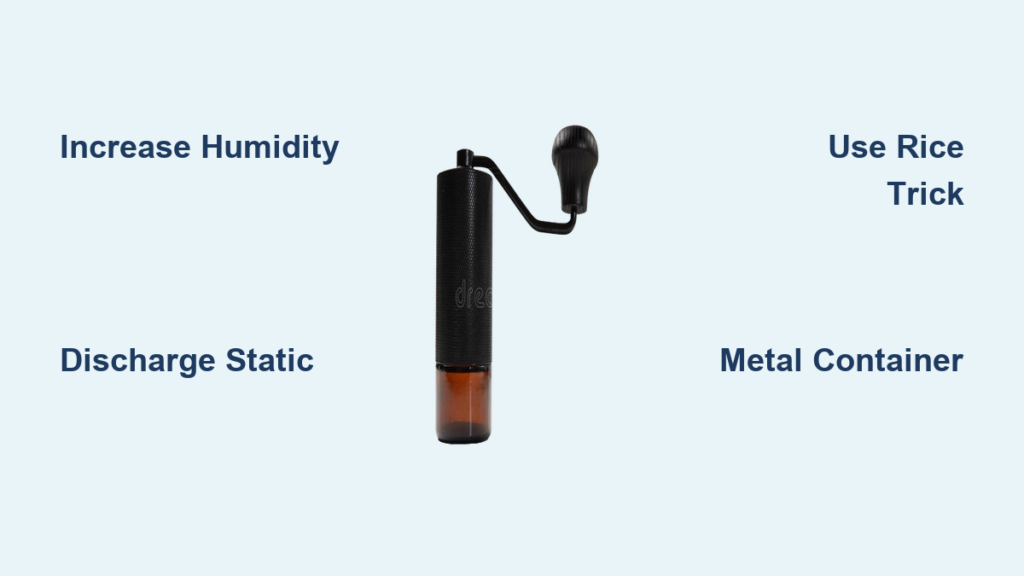
Boost Ambient Humidity for Immediate Results

Increasing moisture in your kitchen air provides immediate relief from static problems because water molecules help conduct electrical charges away before they accumulate. Target 45-55% relative humidity in your grinding area for optimal results—enough to prevent static without making your coffee beans too moist.
Place a small humidifier near your coffee station and run it for 15-20 minutes before grinding. For a quick fix without equipment, boil water in a kettle or run a hot shower nearby to temporarily increase humidity. Some coffee enthusiasts keep a spray bottle filled with distilled water and mist the air (not the beans or grinder) immediately before grinding. Avoid spraying water directly on your grinder to prevent electrical hazards.
Discharge Static Before It Causes Messes
Implementing proper grounding techniques creates a safe pathway for static electricity to flow away from your grinder. Before handling your grinder, touch a grounded metal object like your kitchen faucet, refrigerator, or a metal spoon placed on the counter. Hold the metal for 5-10 seconds to equalize your body’s charge with the earth.
After grinding but before opening the container, touch the metal base of your grinder (if it has one) or a nearby grounded object. For continuous protection, wrap a copper wire around your grinder’s base and connect the other end to a grounded metal surface like a radiator pipe or electrical outlet cover plate screw. This simple modification provides constant static dissipation during operation.
The Rice Trick for Moisture Control
Storing uncooked rice with your coffee beans might sound unusual, but it effectively manages moisture levels to prevent static. Rice acts as a natural desiccant that absorbs excess humidity from your beans over time, bringing them to an optimal moisture content that generates less static during grinding.
Place 2-3 tablespoons of uncooked white rice in a small breathable pouch made from cheesecloth or muslin, then add it to your coffee bean container. The rice will absorb moisture from the beans without making them too dry. Replace the rice every two weeks as it becomes saturated with moisture. This method works especially well for beans stored in humid environments or those recently purchased with higher moisture content.
Apply Food-Safe Anti-Static Treatments
Treat your grinder’s plastic components with food-safe solutions that reduce static buildup without contaminating your coffee. A light coating of food-grade mineral oil applied to interior plastic surfaces creates a microscopic conductive layer that prevents charge accumulation.
Apply a single drop of mineral oil to a microfiber cloth and wipe the interior walls of your grinder’s container and hopper. Focus on areas where grounds typically cling, using just enough to create a barely visible sheen. Allow the oil to dry completely for 24 hours before using your grinder. Reapply monthly or whenever static problems return. Never use cooking oils, which can become rancid and impart off-flavors to your coffee.
Optimize Your Grinding Technique
Small adjustments to how you grind can dramatically reduce static without any additional equipment. Grind smaller batches of beans at a time—aim for single servings rather than multiple cups—to limit the duration of friction that generates static.
Use a pulsing technique instead of continuous grinding: run your grinder for 3-5 seconds, pause for 2 seconds, then repeat. This intermittent approach prevents static from building to problematic levels. When possible, grind directly into your portafilter or brewing device to minimize transfers between containers where static causes grounds to cling and scatter.
Metal Container Solutions That Work

Replacing your plastic catch container with a metal alternative eliminates the primary static-generating surface. Stainless steel containers don’t hold electrical charges and provide natural grounding through their conductive material. Many grinder manufacturers offer metal upgrade kits, or you can use a compatible stainless steel bowl that fits beneath your grinder.
If a metal container isn’t practical, place a stainless steel spoon or butter knife inside your existing plastic container before grinding. Ensure the metal makes contact with the container’s sides or bottom to create a discharge pathway. The metal object will attract static charges away from the plastic walls, preventing grounds from clinging. Remove the metal immediately after grinding to avoid accidental contact with moving parts during operation.
Emergency Fixes for Static Emergencies
When you need coffee immediately and static is causing a mess, try these quick interventions. Add one drop of water per tablespoon of coffee beans before grinding—just enough to introduce conductivity without altering extraction. The moisture helps dissipate static charges during grinding while evaporating quickly enough to avoid affecting flavor.
Grind a small amount of rock salt (about 1 teaspoon) through your grinder before your coffee beans. The coarse salt particles discharge accumulated static without contaminating your coffee. Alternatively, grind one or two “sacrificial” coffee beans at the end of your session to clear static from the chamber before your next use.
Preventative Maintenance for Long-Term Success
Establish a regular cleaning routine to prevent static buildup from worsening over time. Coffee oils left on plastic surfaces create additional insulating layers that trap electrical charges. Disassemble your grinder weekly according to manufacturer instructions and wash all removable plastic components with warm water and mild dish soap.
Dry all parts thoroughly with a microfiber towel before reassembling—residual moisture can create new problems. Pay special attention to the burr chamber where coffee fines accumulate. Monthly, use a soft brush to remove stubborn grounds from hard-to-reach areas. Keep your grinder away from heat sources like stovetops that dry out plastic components and increase static tendency.
When to Consider Upgrading Your Grinder
If static problems persist despite implementing these solutions, your grinder might have design limitations that can’t be overcome. Older plastic grinders often lack modern anti-static features found in newer models. Consider upgrading to a grinder with metal components in critical areas, particularly the bean hopper and grounds container.
Look for grinders specifically marketed as “anti-static” that incorporate conductive materials or grounding mechanisms into their design. While higher-end metal grinders represent a significant investment, they often solve static problems permanently while providing superior grind consistency. If you grind daily, the long-term convenience and reduced waste may justify the upgrade.
By implementing these targeted solutions, you can transform your frustrating static-prone grinding experience into a clean, efficient process that produces consistent results. Start with the humidity adjustment and grounding techniques for immediate improvement, then incorporate the rice method and anti-static treatments for long-term prevention. With these strategies, you’ll spend less time cleaning and more time enjoying perfectly ground coffee without the static mess. Remember that complete elimination might not be possible in extremely dry environments, but significant reduction is achievable with the right combination of these methods tailored to your specific situation.