If your Grindmaster coffee maker sits unused in the break room because no one knows how to operate it properly, you’re not alone. Many offices struggle with commercial coffee equipment that lacks clear instructions. This comprehensive guide will transform you from a coffee novice to a Grindmaster expert in just minutes. By the end of this article, you’ll confidently prepare perfect coffee batches every time while extending your machine’s lifespan through proper maintenance. Whether you’re managing a busy office kitchen or setting up a café, understanding how to use Grindmaster coffee maker equipment properly ensures consistent, high-quality results that keep everyone coming back for more.
Setting Up Your Grindmaster Coffee Maker Properly

Before brewing your first pot, proper setup prevents common issues that plague commercial coffee operations. Most Grindmaster models require specific water quality to function optimally – hard water causes scaling that reduces brewing temperature and damages internal components over time. Start by installing a water filtration system compatible with your specific Grindmaster model, as this extends machine life significantly. Position the coffee maker on a stable, level surface with at least six inches of clearance on all sides for proper ventilation and maintenance access. Ensure the electrical connection matches your unit’s requirements – commercial models often need dedicated 20-amp circuits rather than standard outlets.
Connecting Water Supply and Initial Priming
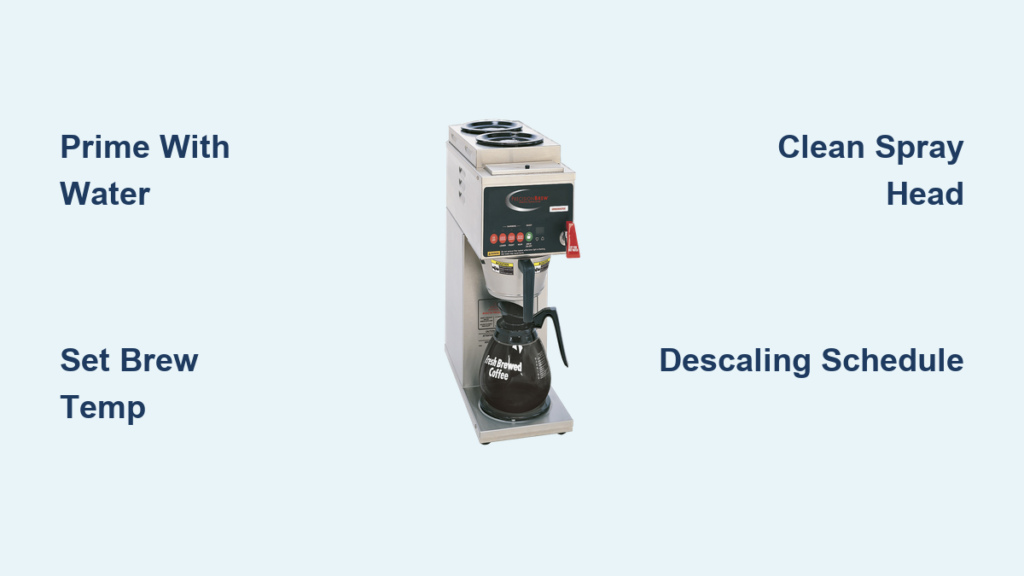
Most commercial Grindmaster units connect directly to your building’s water line. Locate the water inlet valve at the back of the machine and attach your filtered water line using the appropriate fittings. Before powering on, manually fill the internal reservoir through the overflow tube to prime the pump – this prevents air locks that stop water flow during operation. Turn on the water supply slowly while checking for leaks at all connections. Power up the machine and run three full brew cycles with just water (no coffee) to flush manufacturing residues and properly seat internal components.
Configuring Brewing Parameters for Optimal Results
Grindmaster coffee makers feature programmable settings that determine coffee quality. Access the programming menu by pressing and holding the “Brew” and “Settings” buttons simultaneously. Set your desired brew temperature between 195-205°F – too low creates weak coffee, while too high causes bitterness. Adjust the brew strength setting based on your coffee blend’s characteristics; darker roasts typically require slightly shorter brew times. Program automatic shut-off times to conserve energy during non-peak hours while ensuring the machine is ready when needed.
Brewing Perfect Coffee Every Time with Grindmaster
Consistent coffee quality depends on precise measurements and timing. Commercial environments often skip proper measurement, leading to inconsistent strength that frustrates regular users. Always measure both coffee and water rather than eyeballing portions. The specialty coffee association standard recommends 55 grams of coffee per liter of water (about 10 tablespoons per gallon), but adjust based on your specific blend and customer preferences.
Step-by-Step Brewing Process
- Fill the water reservoir to the appropriate level mark for your batch size
- Measure and add coffee grounds to the filter basket (never exceed the MAX line)
- Insert the filter basket securely into the brew head
- Place your carafe on the warming plate
- Press the “Brew” button to start the cycle
- Monitor the first drip timing – it should occur within 30 seconds
- Watch for proper bloom and extraction throughout the cycle
- Remove the carafe immediately after brewing completes
Troubleshooting Common Brewing Issues

Why does my coffee taste weak even with correct measurements?
Check your water temperature – if below 195°F, scaling may have developed in the heating element. Run a descaling cycle using Grindmaster-approved solution. Also verify your coffee isn’t stale; commercial environments should use beans within two weeks of roasting.
What causes coffee to overflow during brewing?
Overfilling the filter basket is the most common culprit. Never pack grounds down – they need room to expand during the bloom phase. Also check that your filter type matches the basket size; using undersized filters creates bypass channels.
Why does brewing take longer than normal?
Partial clogs in the spray head or water lines slow water flow. Remove and clean the spray head assembly weekly with a small brush. Also check that your water pressure meets specifications – Grindmaster units typically require 20-80 PSI.
Essential Daily Maintenance Routine
Proper maintenance prevents 90% of common Grindmaster coffee maker problems. Create a maintenance checklist that staff completes at shift changes to ensure consistency. Your daily routine should take no more than five minutes but saves hours of troubleshooting later.
Cleaning the Brew Group and Filter Assembly
After the final brew cycle of the day, run a rinse cycle with clean water to flush coffee oils from internal components. Remove the filter basket and spray head assembly, scrubbing both with a soft brush and mild detergent. Pay special attention to the spray head holes which easily clog with coffee fines. Reassemble while components are still damp to prevent warping. Never use abrasive cleaners that scratch surfaces and harbor bacteria.
Descaling Schedule Based on Water Hardness
Hard water regions require more frequent descaling to maintain performance. Check your local water report for hardness levels:
- Soft water (0-3 GPG): Descaling every 3 months
- Medium water (4-7 GPG): Descaling every 2 months
- Hard water (8+ GPG): Monthly descaling
Use only Grindmaster-approved descaling solution – vinegar damages commercial machine components. Never run the descaling cycle with coffee grounds present, as this creates an unpleasant chemical reaction.
Troubleshooting Persistent Grindmaster Problems
When basic maintenance doesn’t resolve issues, systematic troubleshooting saves costly service calls. Most commercial coffee makers experience similar problems that technicians see repeatedly.
No Power or Machine Won’t Start
First verify power at the outlet using another device. Commercial kitchens often have circuits that trip without obvious signs. Check your breaker panel for tripped switches. If power reaches the machine but it remains unresponsive, locate the internal thermal fuse (typically near the heating element) which may have blown from overheating. This requires professional replacement, but prevents fire hazards from electrical faults.
Water Leaks Around Brew Head
Most leaks stem from worn gaskets that seal the brew group. Remove the brew head assembly and inspect the rubber seals for cracks or deformation. Grindmaster offers replacement gasket kits specific to your model number – using universal seals often creates more problems. Replace gaskets every six months as preventive maintenance, especially in high-volume environments.
Maximizing Your Grindmaster Investment
Commercial coffee equipment represents a significant investment that pays dividends through consistent performance when properly maintained. Track your coffee costs per cup to identify when maintenance lapses begin affecting your bottom line – even minor scaling reduces efficiency enough to increase operating costs over time. Train multiple staff members on proper operation to prevent knowledge gaps when key personnel are unavailable. Consider adding a digital timer to control automatic start-up, ensuring fresh coffee is ready precisely when needed without wasting energy.
Final Note: Properly maintained Grindmaster coffee makers deliver exceptional performance for 7-10 years in commercial settings. By following these operational guidelines and maintenance routines, you’ll ensure consistent coffee quality while minimizing downtime and repair costs. Remember that small attention to detail in daily operation makes the difference between mediocre coffee and exceptional beverages that keep customers returning. For model-specific instructions, always consult your unit’s manual as features vary between Grindmaster series.