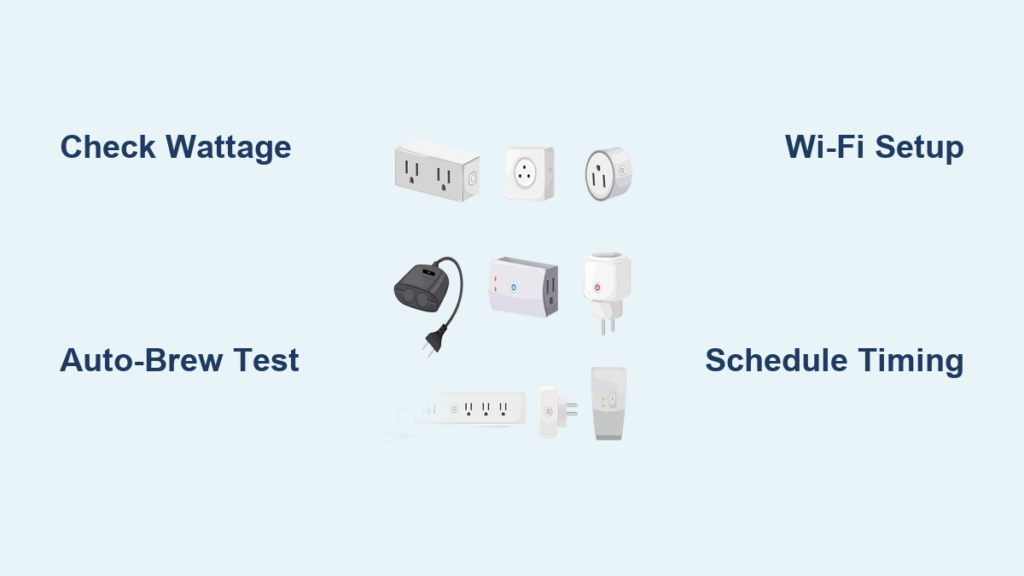
Waking up to the rich aroma of freshly brewed coffee without lifting a finger is no longer a luxury reserved for five-star hotels. By learning how to use smart plug with coffee maker, you can transform your ordinary drip machine into a morning miracle worker that delivers hot coffee precisely when you want it. Smart plugs provide the simplest, most cost-effective way to automate your coffee maker without replacing your existing appliance. Whether you’re rushing to work or enjoying a lazy weekend morning, this technology puts you in control of your caffeine fix from anywhere—using just your smartphone or voice commands.
This practical guide cuts through the technical jargon to show you exactly how to connect your coffee maker to a smart plug for seamless morning automation. You’ll discover which coffee makers work best with this setup, how to avoid dangerous electrical mismatches, and step-by-step instructions for creating schedules that match your unique routine. Most importantly, you’ll learn how to set everything up in under 15 minutes without needing an electrician or advanced tech skills.
Why Your Coffee Maker Needs Smart Plug Automation
The frustration of waiting for coffee while half-asleep disappears when you automate your brewing process. With a properly configured smart plug, your coffee maker becomes an intelligent appliance that anticipates your needs rather than requiring your attention. Many coffee makers, especially modern drip models, automatically begin brewing as soon as they receive power—making them perfect candidates for smart plug control without any modifications.
Beyond morning convenience, smart plug automation solves the “did I turn it off?” anxiety that plagues coffee drinkers. Forgot whether you switched off the coffee maker before leaving for work? A quick check in your smart home app confirms its status, and a single tap cuts power if needed. This peace of mind extends to energy savings too—smart plugs eliminate phantom power draw by completely disconnecting your coffee maker when not in brewing, potentially saving you $10-15 annually on electricity.
Consider this real-world scenario: You’re working late and suddenly remember your coffee maker might still be on. Instead of rushing home, you simply open your phone, verify the status, and turn it off remotely. This level of control transforms your coffee maker from a simple appliance into an integrated part of your smart home ecosystem.
Selecting the Perfect Smart Plug for Coffee Maker Control

Not all smart plugs can handle your coffee maker’s power demands, and choosing incorrectly creates both performance issues and safety risks. Always verify your coffee maker’s wattage (typically 800-1,500 watts for standard 12-cup models) before purchasing a smart plug. Select a plug rated for at least 1,800 watts to provide a comfortable safety margin—never operate a plug near its maximum capacity.
Physical dimensions matter more than most buyers realize. Many smart plugs are bulky, making it impossible to plug in adjacent appliances or creating tension on your coffee maker’s cord. Look for compact designs with right-angle plugs specifically engineered for tight spaces. The TP-Link Kasa KP115 and Amazon Smart Plug are excellent choices that won’t block neighboring outlets while handling standard coffee maker wattages.
Connectivity protocol determines how reliably your coffee maker responds to commands. Wi-Fi plugs work best for coffee automation since they connect directly to your home network without requiring a separate hub. Avoid Bluetooth-only plugs—they lack the range needed for reliable remote control when you’re away from home. Check that your chosen plug works with your existing smart home ecosystem (Alexa, Google Home, or Apple HomeKit) to ensure seamless voice control.
Coffee Maker Compatibility Checklist
Your coffee maker must meet specific criteria to work reliably with a smart plug. The critical requirement is automatic brewing upon power-up—when you plug in the machine and flip its power switch to “on,” it should begin brewing immediately without requiring button presses. Most modern drip coffee makers function this way, but always verify your specific model.
Pod-based single-serve machines typically won’t work with basic smart plugs because they require physical interaction to insert pods and press start buttons. Some advanced models like certain Keurig machines with auto-brew features can work if you set them to auto-start mode before connecting to the smart plug. Avoid using smart plugs with espresso machines—they often require complex warm-up sequences and pressure calibration that simple on/off control can’t accommodate.
Before committing to the setup, perform this quick test: Unplug your coffee maker completely, wait 30 seconds, then plug it back in. If it automatically starts brewing (with water and coffee already loaded), it’s compatible with smart plug automation. If it requires button presses, it won’t work with this method.
Step-by-Step Smart Plug Setup Process

Connecting your coffee maker to a smart plug takes less time than brewing a pot of coffee. Start by downloading your smart plug manufacturer’s app and creating an account. Plug the smart device into an outlet near your coffee maker, then put it in pairing mode (usually by pressing and holding the button for 5-7 seconds until the LED flashes rapidly).
Open the app and follow the prompts to connect the plug to your home Wi-Fi network. Use your 2.4 GHz network—most smart plugs don’t support 5 GHz bands. Name your new device descriptively like “Kitchen Coffee Maker” rather than generic names like “Plug 1” to avoid confusion later. Test basic functionality by turning the plug on and off through the app while watching for your coffee maker’s indicator lights.
Now connect your coffee maker to the smart plug, ensuring the machine’s power switch is in the “on” position. Load water and coffee grounds as if preparing for brewing. Test the complete system by triggering the smart plug through the app—your coffee maker should power up and begin brewing immediately. If not, double-check your machine’s compatibility as described in the previous section.
Creating Foolproof Coffee Schedules
The true value of how to use smart plug with coffee maker reveals itself through scheduling. Most smart plug apps let you create precise on/off schedules for each day of the week. For a standard drip coffee maker, schedule power to activate 10-15 minutes before you want coffee ready—this accounts for typical brew times.
When setting weekday schedules, consider your actual wake-up time versus when you want coffee ready. If you wake at 6:30 AM, schedule brewing to start at 6:15 AM. But if you hit snooze multiple times, adjust accordingly. Many users create separate schedules for weekdays versus weekends to match their natural sleep patterns without wasting energy.
Advanced scheduling features take your coffee automation to the next level:
– Sunrise triggers that adjust brewing time seasonally
– Geofencing that starts brewing when your phone detects you’re 10 minutes from home
– Weather-based triggers that start coffee earlier on especially cold mornings
Voice Command Integration Made Simple
Controlling your coffee maker with voice commands transforms morning routines from functional to futuristic. After connecting your smart plug to Alexa, Google Assistant, or Siri, you can use natural voice commands like “Hey Google, start my coffee” or “Alexa, turn on coffee maker.”
For the smoothest experience, create custom voice routines. With Alexa, say “Alexa, good morning” to trigger coffee brewing, turn on kitchen lights, and read your calendar. Google Assistant lets you say “Hey Google, I’m awake” for similar multi-action responses. These routines eliminate the need for specific device names in your commands.
If you use multiple smart speakers throughout your home, test voice commands from different rooms to ensure reliable detection. Position speakers away from running water sources (like sinks) which can interfere with voice recognition during morning routines.
Critical Safety Precautions for Coffee Automation
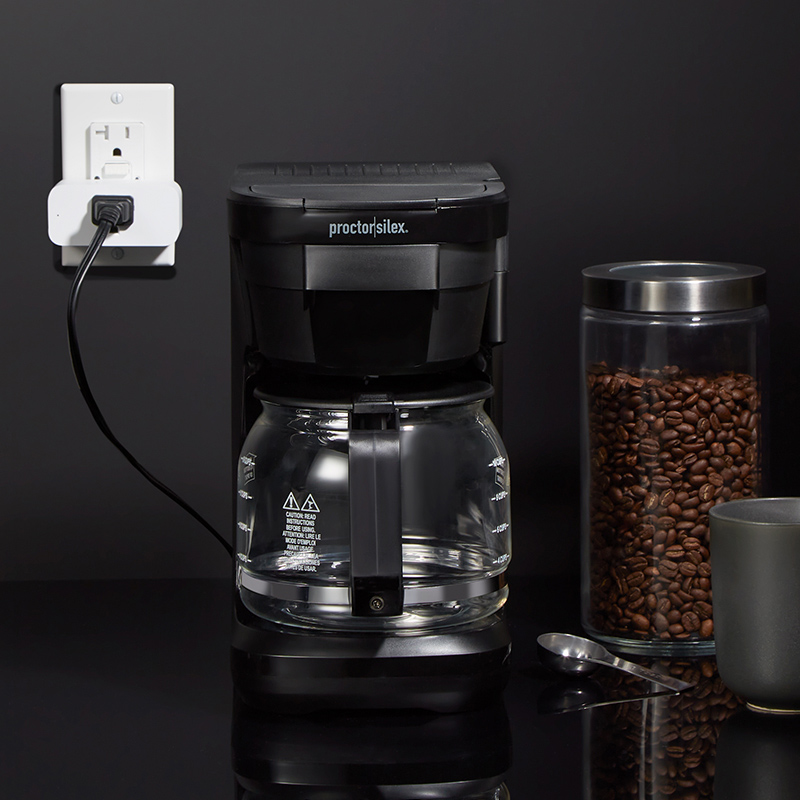
Never overlook electrical safety when automating appliances that combine heat and water. Verify your smart plug’s amperage rating matches your coffee maker’s requirements—most require 15-amp plugs. Check your coffee maker’s label for its exact electrical specifications (typically 120V, 8-12 amps).
Position your setup away from water sources. Keep the smart plug and all connections at least 3 feet from your sink and any areas prone to splashes. Never place the smart plug where it might get wet from coffee spills or steam. If your kitchen has particularly high humidity, consider a smart plug with IP20 or higher moisture resistance rating.
Avoid daisy-chaining power strips—plug the smart plug directly into a wall outlet. Coffee makers draw significant power during heating cycles, and additional connections create fire hazards. If your kitchen outlet is near capacity (shared with microwave or toaster oven), consult an electrician about adding a dedicated circuit before automating your coffee maker.
Troubleshooting Unresponsive Smart Coffee Systems
When your automated coffee setup fails, follow this diagnostic sequence before assuming the worst:
- Verify basic power: Check if the smart plug’s LED is illuminated
- Test the outlet: Plug in another device like a lamp
- Check Wi-Fi connectivity: Ensure your router is functioning properly
- Confirm schedule settings: Many apps display schedules but don’t activate them by default
- Reset the smart plug: Unplug for 30 seconds, then reconnect
If your coffee maker powers on but doesn’t brew, your machine likely requires manual button presses after power cycles. This common issue affects some coffee makers that treat power interruptions as safety events. The solution is either finding a different compatible machine or disabling the internal clock (if present) to prevent the machine from entering standby mode.
When Smart Plug Automation Isn’t Right for Your Coffee Maker
Smart plug control works perfectly for many coffee makers but fails completely for others. If your machine requires specific button sequences, has complex programming, or needs user interaction during brewing, a smart plug alone won’t suffice. Espresso machines, high-end programmable brewers, and most single-serve pod systems fall into this category.
Consider dedicated smart coffee makers if:
– Your current machine lacks auto-start functionality
– You want precise control over brew strength and temperature
– You frequently change coffee types requiring different settings
– You need maintenance reminders and automatic descaling cycles
For households with young children or safety concerns, manual operation might be preferable. Automated systems introduce additional failure points—power outages, Wi-Fi disruptions, or app glitches could leave you without coffee when you need it most. Always have a backup plan for those inevitable tech hiccups.
Maintaining Your Automated Coffee System
Keep your smart coffee setup running smoothly with these simple maintenance practices:
– Update smart plug firmware monthly through its app
– Clean coffee maker regularly to prevent mineral buildup
– Test schedule functionality weekly by checking brew times
– Verify electrical connections quarterly for signs of wear
Descale your coffee maker according to manufacturer instructions—typically every 3-6 months depending on water hardness. Mineral deposits not only affect coffee taste but can cause heating elements to work harder, potentially exceeding your smart plug’s capacity over time.
By following these guidelines for how to use smart plug with coffee maker, you’ll enjoy perfectly timed coffee without the technical headaches. This simple automation delivers maximum convenience with minimal investment, transforming your morning routine one cup at a time.